Long video in · Shorts out
How to Convert YouTube Video to Shorts Automatically
Turn your YouTube library into a Shorts factory. Paste a link and let AI find the most viral moments, crop to vertical, and add captions.
Long Video
Shorts by CrabCut
Quick answer
How do you turn a YouTube video into Shorts?
YouTube Video to Shorts AI Converter | CrabCut
Paste a YouTube link, let CrabCut analyze the transcript and video, then export 9:16 vertical shorts with captions for YouTube Shorts.
- Paste a YouTube URL
- AI finds highlight moments
- Export Shorts-ready videos
How it works
From long video to sharper, ready-to-post Shorts in five steps.
Workflow
01
Transcribe
We transcribe your video with high accuracy in 16+ languages.
Feed the Shorts Algorithm
YouTube is aggressively pushing Shorts in its ecosystem. If you aren't repurposing your long-form videos, you're missing out on millions of potential subscribers.
Discovery Benefits
Shorts appear on the main feed and the dedicated Shorts shelf. They are the #1 way to get new eyes on your channel in 2026.
Algorithm Push
YouTube rewards channels that use multiple formats. Shorts bridge the gap between casual viewers and loyal subscribers.
From URL to Viral Short
Zero manual editing. Just pure conversion power.
1. Paste Link
Simply copy-paste your YouTube video URL.
2. AI Highlights
AI Finds the most engaging hooks and segments.
3. Shorts-Ready
Download vertical, captioned shorts ready for YouTube.
Optimized for Conversion
Vertical Crop
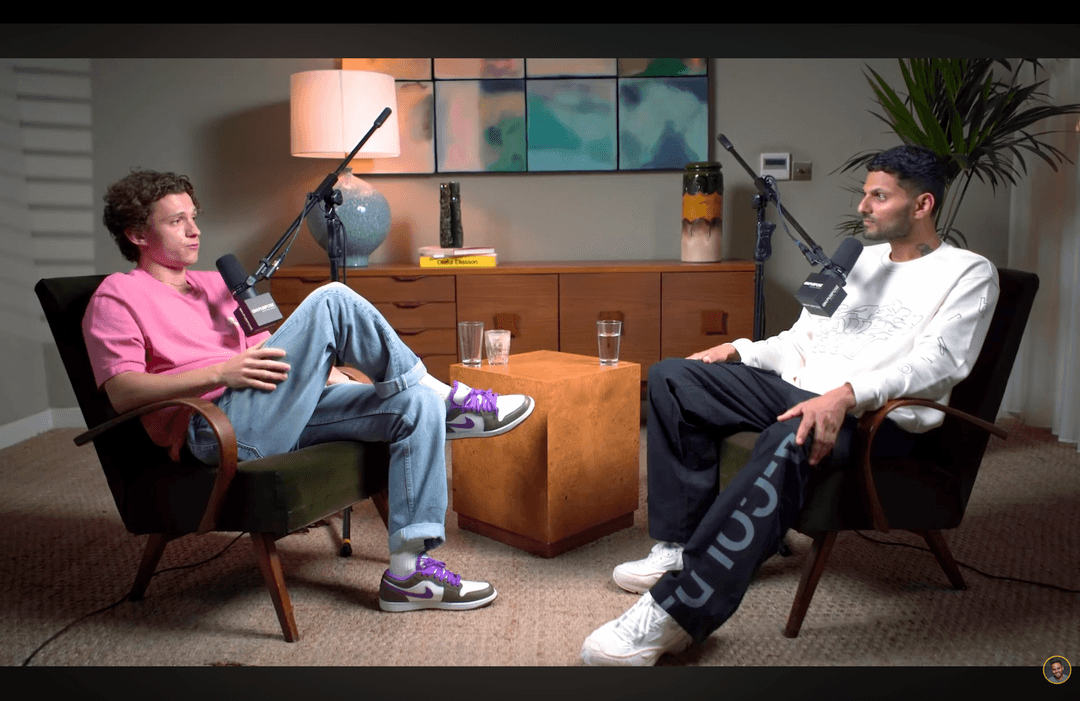
Auto-reframe 16:9 videos to 9:16 vertical while tracking the subject.
Dynamic Captions
Colorful, animated captions that keep viewers glued to the screen.
Hook-First Edits
AI ensures every Short starts with a strong, attention-grabbing hook.
The Ultimate Guide: How to Make YouTube Shorts from Long Videos
If you've been wondering how to make YouTube Shorts from a video you've already uploaded, you're in the right place. In the past, repurposing long-form content meant hours of tedious editing, manual cropping, and struggling with aspect ratios. With our AI-powered tool, that's a thing of the past.
The secret to growth in 2026 is being smarter with the content you already have. Many creators sit on a goldmine of long-form videos that are perfect for the YouTube Shorts format. By breaking down your best moments into 60-second shorts, you give the algorithm more chances to find your audience.
Why the YouTube Shorts Format Matters
Shorts aren't just a vertical version of your video. They are a discovery engine. When you convert a long YouTube video to Shorts with AI, you create entry points for new viewers. Think of it like a movie trailer. If they like the highlight, they'll stick around for the full show.
Our YouTube Shorts creator from long video technology doesn't just cut your footage. it analyzes the audio cues, facial expressions, and speaker pacing to find the exact moment a "hook" happens. This ensures that every Short you publish has the highest chance of going viral.
Pro Tip for Channel Growth
Always link your Shorts back to the original long-form video using YouTube's "Related Video" feature. This creates a powerful funnel that turns casual viewers into loyal subscribers.
Ready to try it? Start making shorts for free.
Start freeThree things. Done well.
A focused tool that finds moments, captions, and reframes. Built for solo creators.
Reframing that actually tracks faces
Multi-speaker podcast? We follow whoever's talking. Single host moving around? We stay locked on. No cropped foreheads, no jaw-cut edges.
Captions in 16+ languages
Animated, accurate, customizable. Pick fonts, colors, position, and animation style. Keyword highlighting and emoji auto-placement included.
Your brand, every short
Add your logo, fonts, and colors. Save style presets per channel. Every short exports looking like yours.
Who It's For
YouTubers
Grow your subscriber base with zero extra work.
Brands
Turn webinars and promos into social content.
Educators
Share knowledge in bite-sized learning bits.
Frequently Asked Questions
How do I turn a YouTube link into a Short?
Does it work with long-form videos?
Are the captions customizable?
Is there a limit to how many Shorts I can create?
Related resources
Keep exploring CrabCut workflows
Grow Your YouTube Channel with Shorts | CrabCut
Grow your YouTube channel by turning long videos into Shorts. AI highlights, captions, and face-tracked reframing. Post daily with 60 free sign-up credits.
Open pageYouTube Shorts Maker for Shorts, Reels & TikTok
Short YouTube videos into short vertical shorts with AI. Find hooks, add captions, and repurpose long videos for Shorts, Reels, and TikTok.
Open pageTurn long videos into YouTube Shorts | CrabCut
Turn podcasts, webinars, interviews, and YouTube videos into ready-to-post 9:16 YouTube Shorts with AI highlights, captions, and smart reframing.
Open pageTurn Long Videos into Shorts Using AI | CrabCut
Automatically short long videos into Shorts, Reels, and TikTok using AI highlights, captions, and vertical reframing.
Open pageCrabCut: AI Shorts Maker for TikTok, Reels & YouTube Shorts
Turn long videos into ready-to-post shorts with AI highlights, captions, face tracking, and auto reframing. Start free with 60 credits on sign-up, no card required.
Open pageCrabCut Pricing: Plans & Credits
Compare Light, Standard, and Heavy plans. Credits for AI shorts creation, captions, and exports. Start free, no card required.
Open pageScale Your YouTube Growth
Turn your existing videos into a persistent subscriber magnet.
Paste YouTube Link